Concept · iOS and CarPlay
Silver Aero: finding, booking and paying for EV charging in one app
An iOS and CarPlay concept for electric-car drivers on long trips, from research to a hi-fi prototype.
20225 min readiOSCarPlayResearchUsability testing
Overview
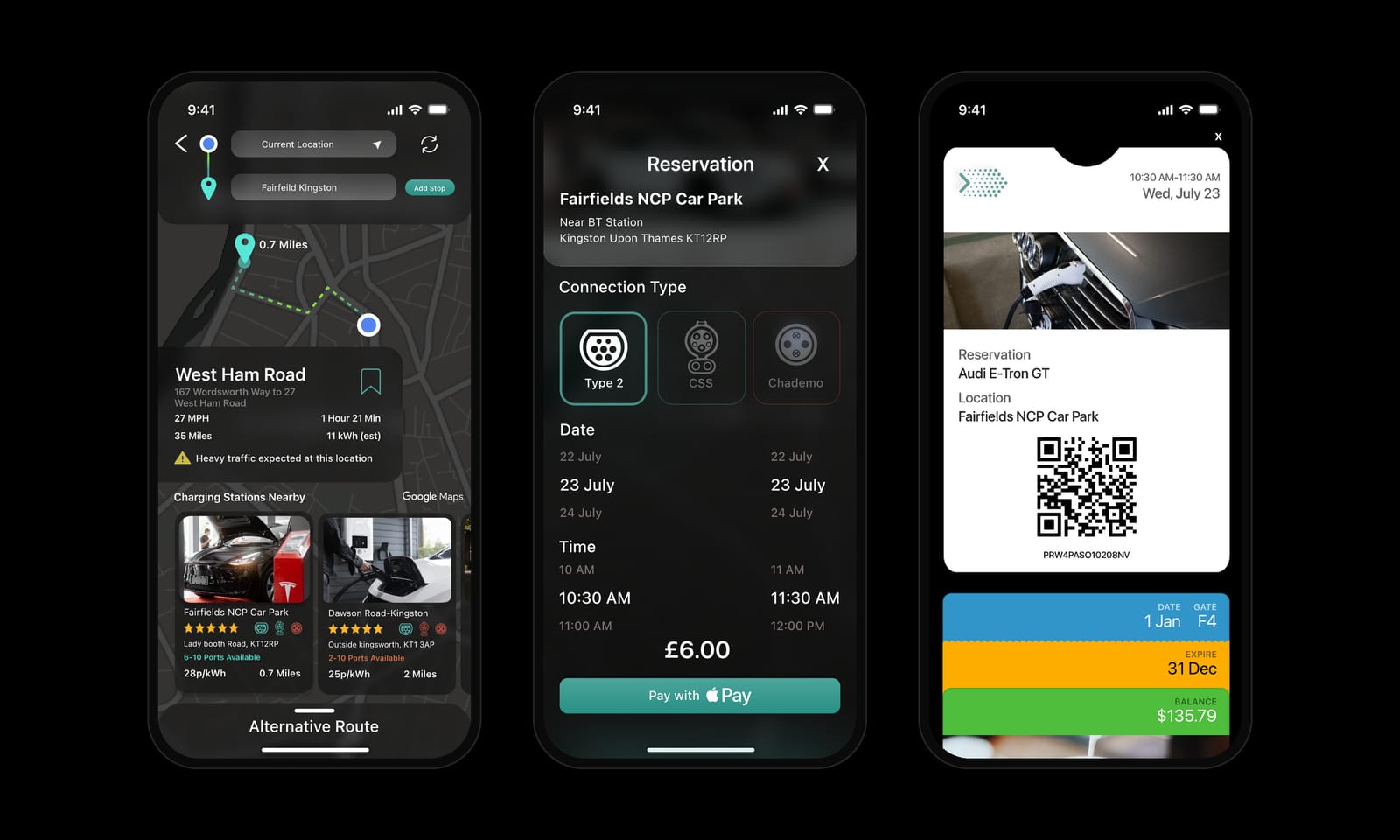
Electric-car drivers on long trips piece together a charging stop from several apps: one to find a charger, another to check it fits their car, another to pay. I surveyed 83 drivers, interviewed four, and designed Silver Aero, an iOS concept that finds compatible chargers on your route, lets you book and pay with Apple Pay, and keeps the ticket in Apple Wallet. It also helps you hire a local electrician for a home charger and carries the trip into CarPlay. I tested the prototype in moderated sessions.
- Problem: Drivers can't trust that a charger on the map is working, free and compatible, and paying is a separate hassle.
- What I did: A survey, four interviews, synthesis into a journey map, then a hi-fi Figma prototype of 60+ screens and a CarPlay view.
- What I found: Most frustration sat at the charging station, not on the road, so I put booking and payment at the centre of the app.
Problem
The hard part of an EV road trip is the charging stop, not the drive
Every driver I spoke to enjoyed driving electric. The stress came at the charger. Maps show stations that turn out to be broken, busy or built for a different plug. Payment happens in yet another app, and there is no way to know in advance how long a stop will take.
Drivers who rent EVs have it worse, because they don't know the car's connector or range. I set out to make the charging stop as predictable as a fuel stop.
Google Maps doesn't help you a lot in finding charging stations. And if it does, the charging station might be out of order.
Research
Drivers trusted their cars but not the charging network
I ran a 14-question Google Forms survey for people who own or rent an EV and shared it on social media. It collected 83 responses in a week. From the suggestions people left, I recruited four drivers for semi-structured interviews (three online, one in person) in the UK, Canada and India, including a dealer who sells EVs.
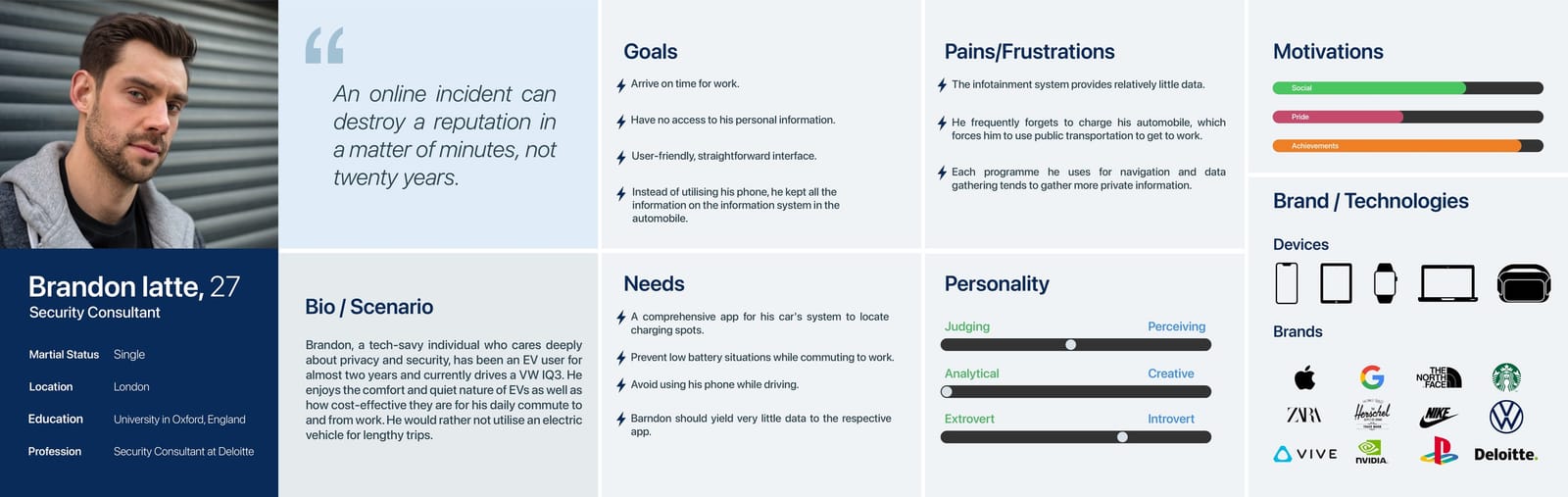
I transcribed the interviews, broke them into notes on an affinity map and built empathy maps, two personas and a journey map. Three insights shaped the design.
- survey responses in one week
- 83
- in-depth interviews in three countries
- 4
- personas: a renter and an owner
- 2
What the interviews showed
The low point is at the station, not on the road.
Drivers described broken chargers, queues and stations that were already taken when they arrived.
When I reach the charging station, get out of my car and plug it in, that's when I realise that the thing doesn't work anymore.
P3, EV owner, India The issue with the map is that I won't be able to find a station which is free, which isn't occupied. Once I find the station I go with, it's already taken.
P2, EV renter, Canada Plug standards confuse people, and the apps send them to the wrong charger.
Renters are the most exposed, because they don't know which connector their car takes.
I've been using Zap-Map and Google Maps, and they've taken me to the wrong destinations. Also, the charging standards are different. We need unification of charging standards.
P1, EV owner, UK Home charging is the one drivers trust.
Owners charged at home whenever they could. My report also records that the dealer I interviewed had to find electricians to fit home chargers for his customers.
I prefer charging at home because, though it takes more time, I'm 100% sure that it's getting charged.
P3, EV owner, India
Four semi-structured interviews, July 2022. Quotes are lightly cleaned from the transcripts and anonymised.
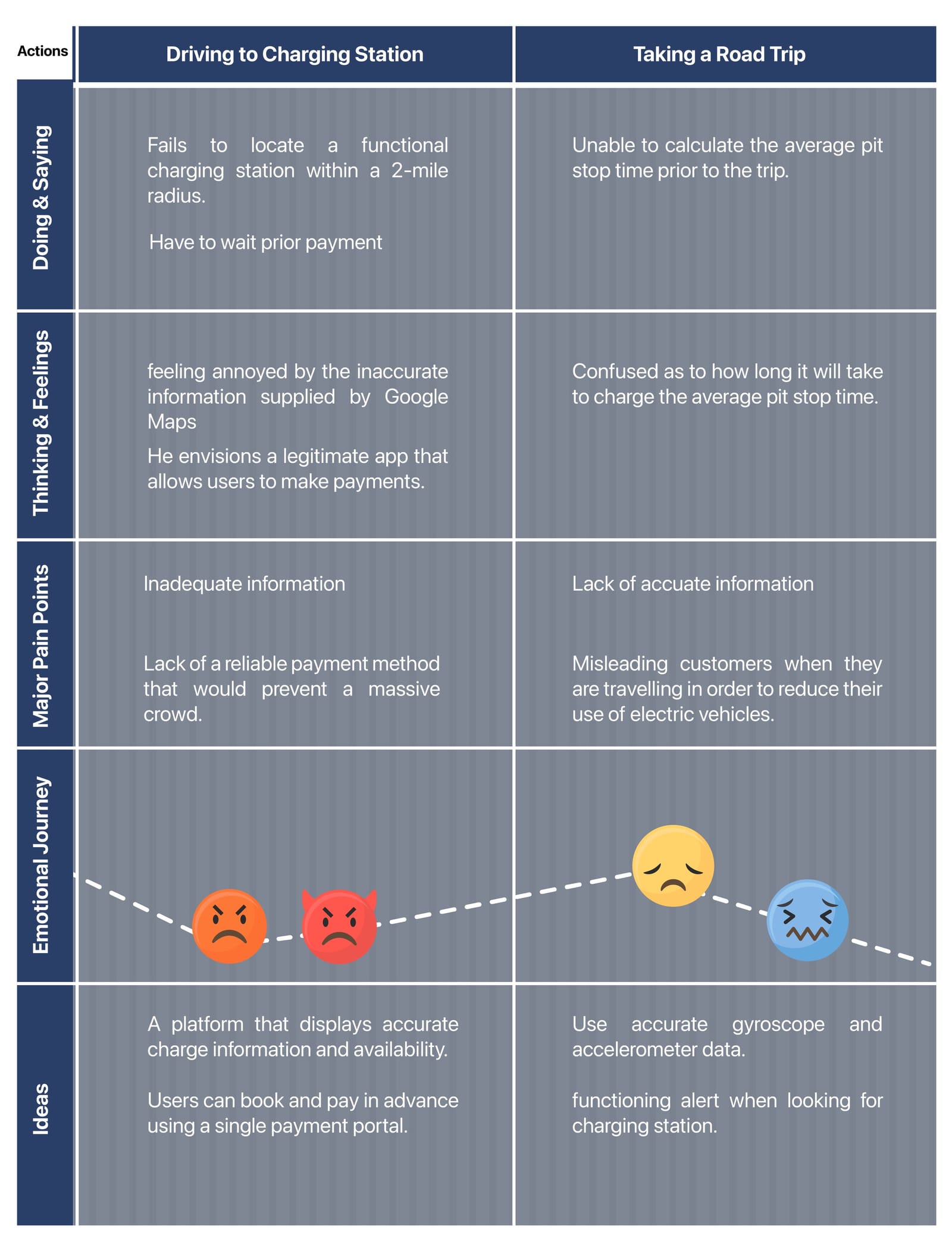
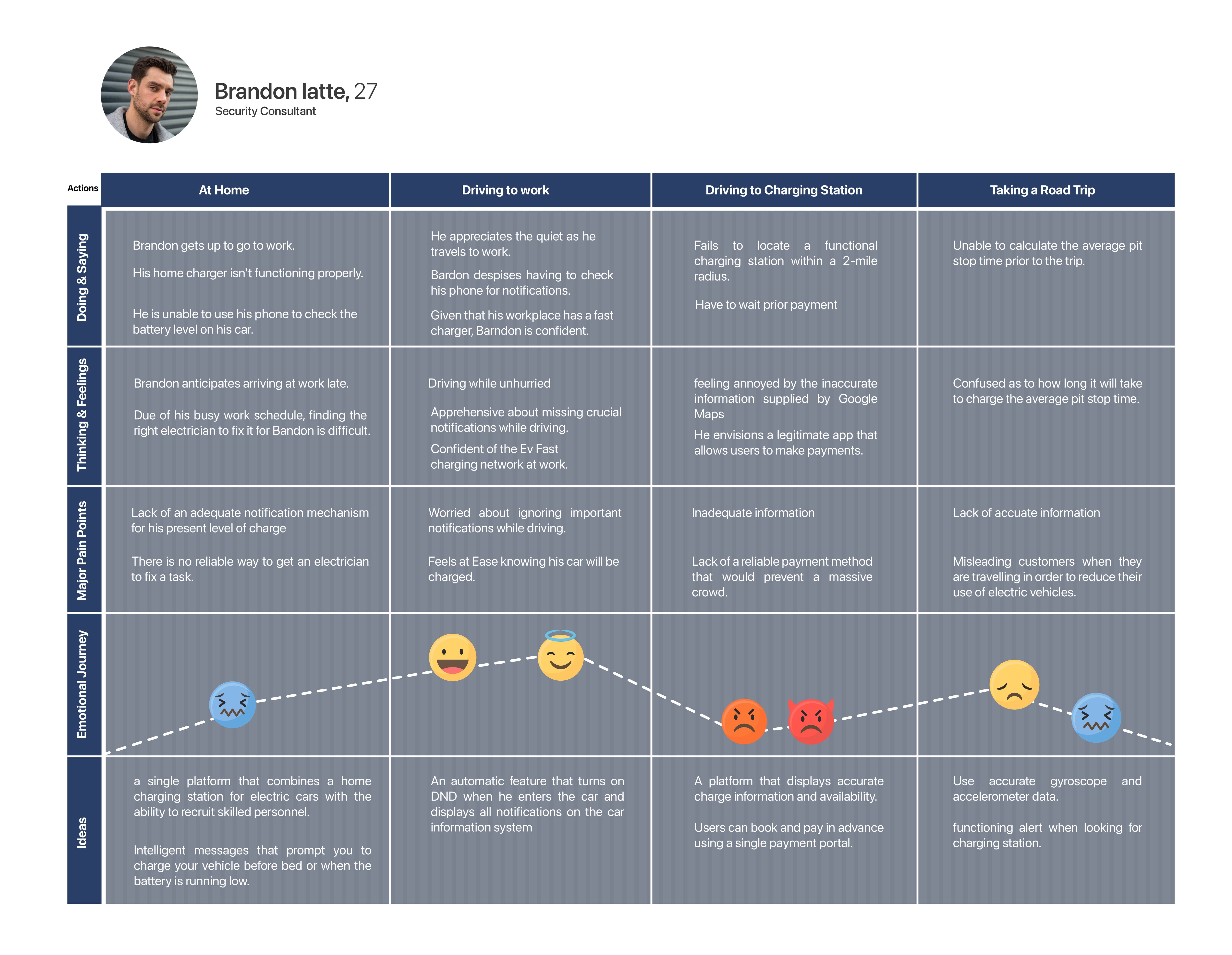
Brandon's mood hits its lowest point at the charging station: no working charger within two miles, inaccurate map data and no reliable way to pay.
View full mapWhat the map shows
- At home: the home charger is faulty and finding an electrician is hard.
- Driving to work: calm, but worried about missing notifications while driving.
- Driving to a charging station: can't find a working charger within a 2-mile radius, has to wait to pay, and is annoyed by inaccurate Google Maps data. Lowest point of the journey.
- Taking a road trip: can't estimate how long each charging stop will take.
- Ideas: accurate availability, book and pay in advance through one payment flow, and smart charging reminders.
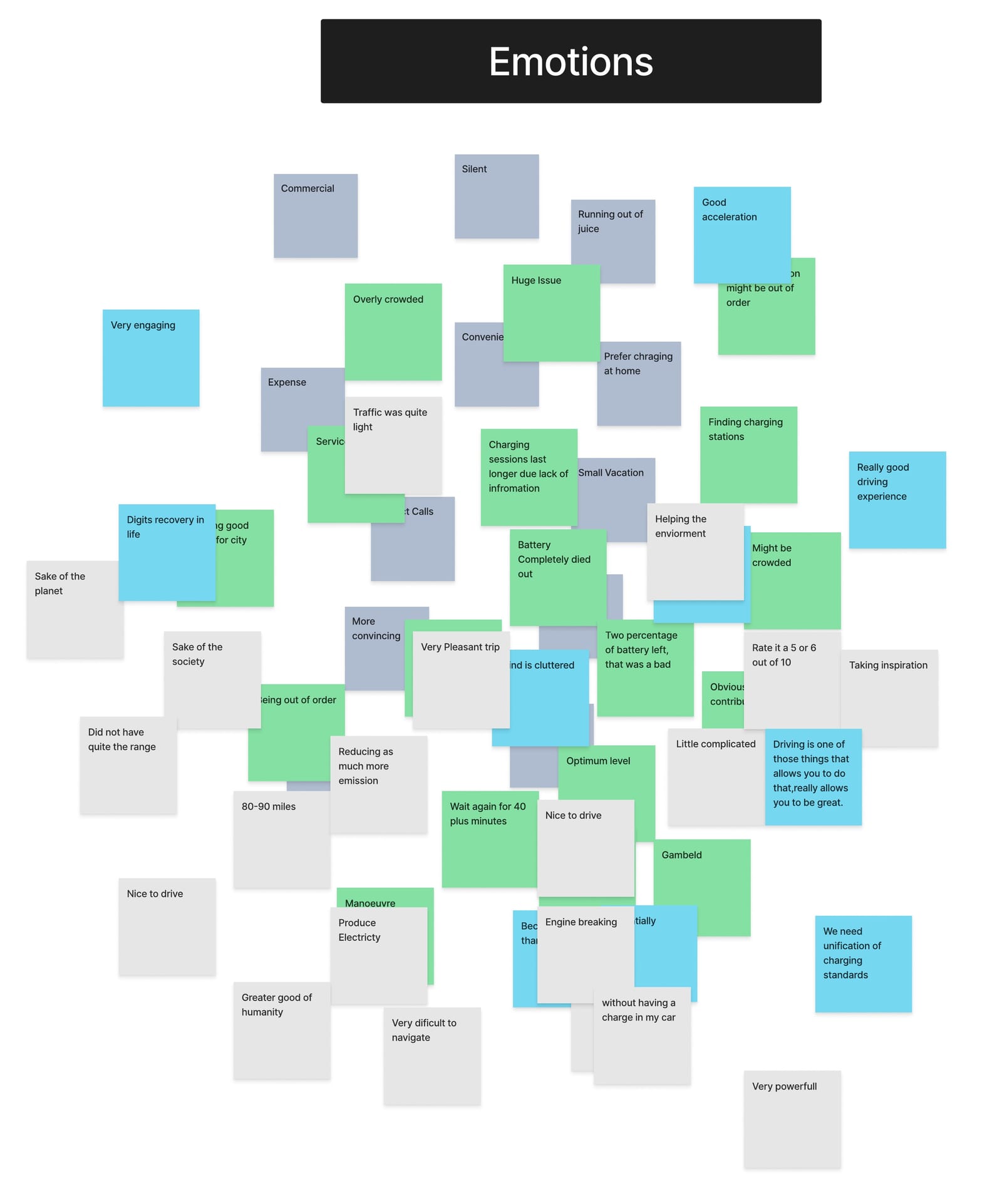
Positive notes about driving sat next to negative notes about charging, which pointed me to the charging stop as the problem to solve.
View full mapWhat the map shows
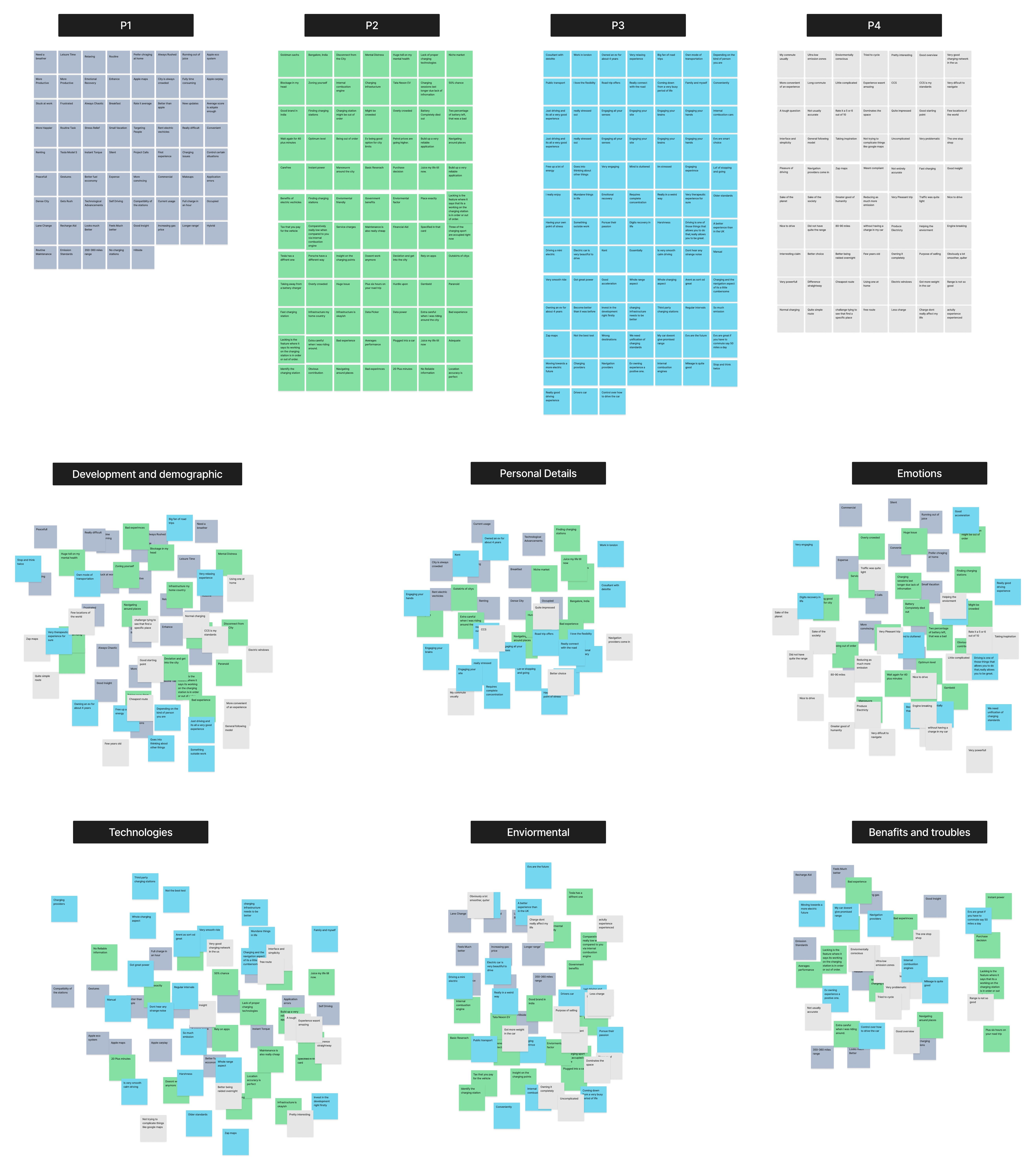
- Interview notes were colour-coded by participant and regrouped into themes: demographics, personal details, emotions, technologies, environment, and benefits and troubles.
- Emotions cluster: driving is 'very engaging' and 'nice to drive', while charging is 'overly crowded', 'might be out of order' and means waiting '40 plus minutes'.
Framing
How might we make a charging stop as predictable as a fuel stop?
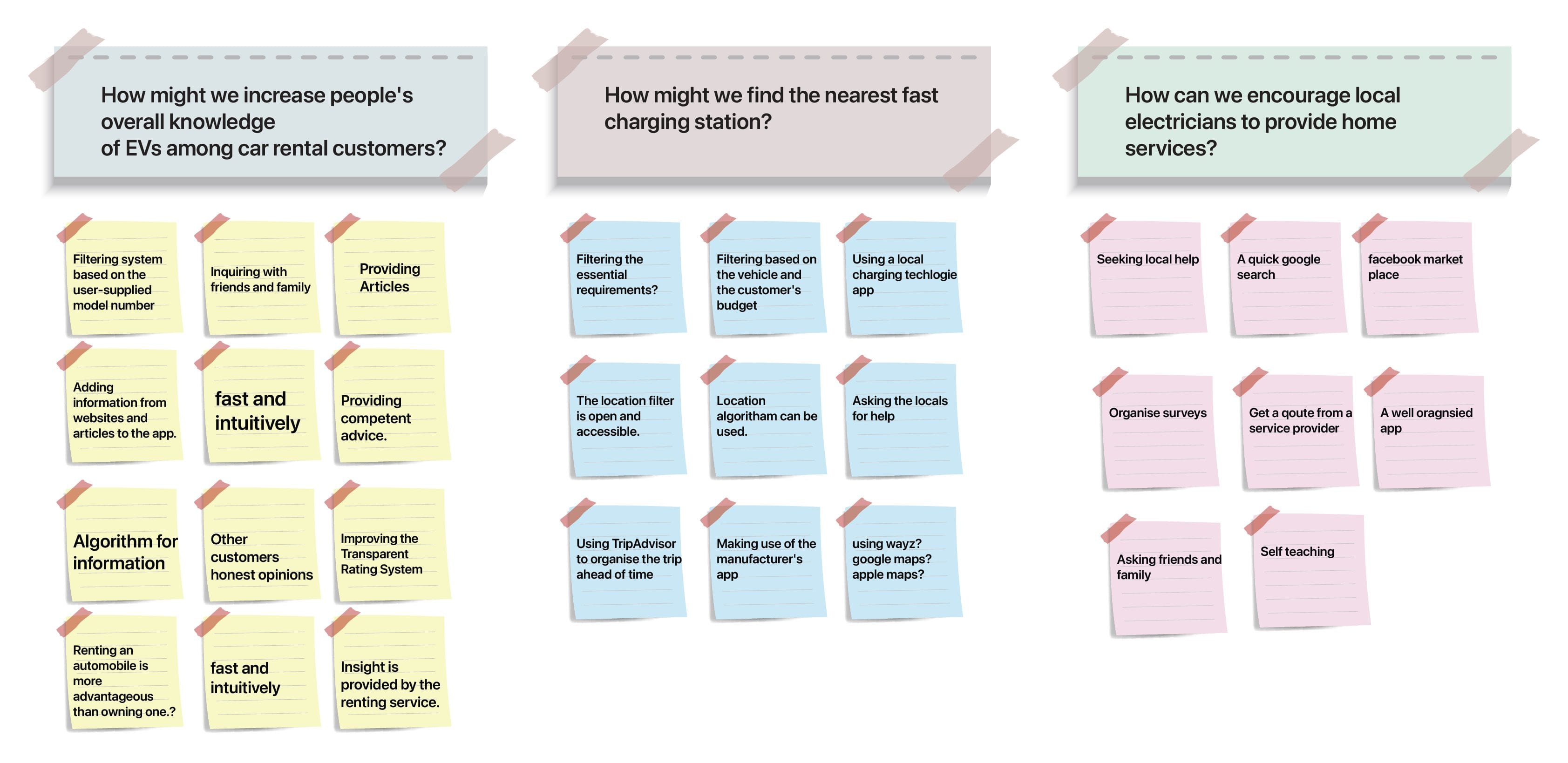
My point-of-view statement: a driver who would rather spend time at the destination than in a queue needs to find the charging station with the shortest wait. That led to three How Might We questions: how might we find the nearest fast charger, help renters understand EVs, and encourage local electricians to provide home charging?
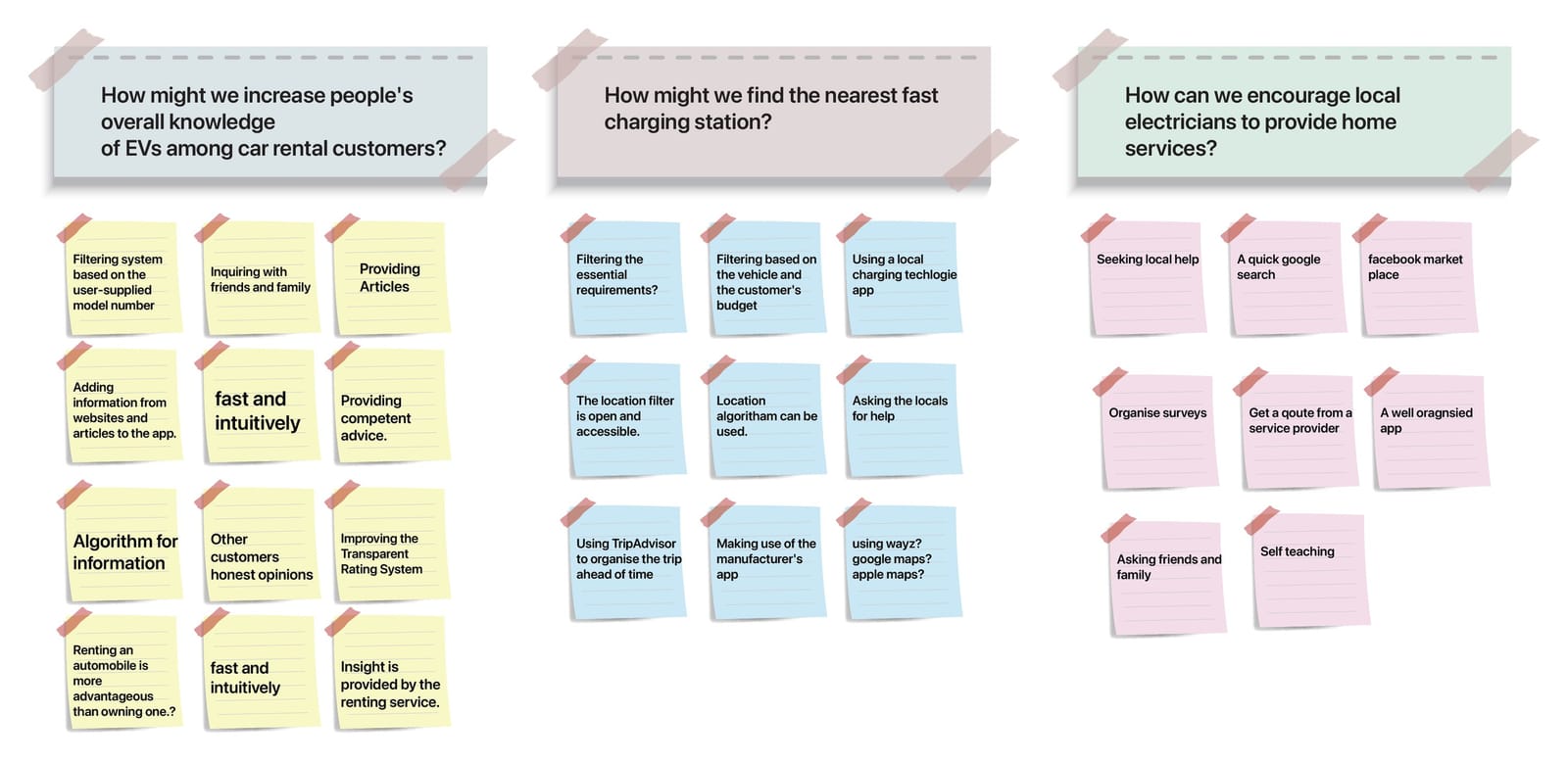
Three questions, one for each insight. Each became a part of the app: compatible search, plug education and the electrician service.
View full mapWhat the map shows
- How might we increase people's knowledge of EVs among car-rental customers? Ideas: filter by the car's model, add short guides, show honest reviews.
- How might we find the nearest fast charging station? Ideas: filter by vehicle and budget, use existing map apps, plan the trip ahead.
- How can we encourage local electricians to provide home services? Ideas: get a quote from a provider, a well-organised app instead of searching online.
Decision 1
One app for find, book and pay, instead of a layer on top of Google Maps
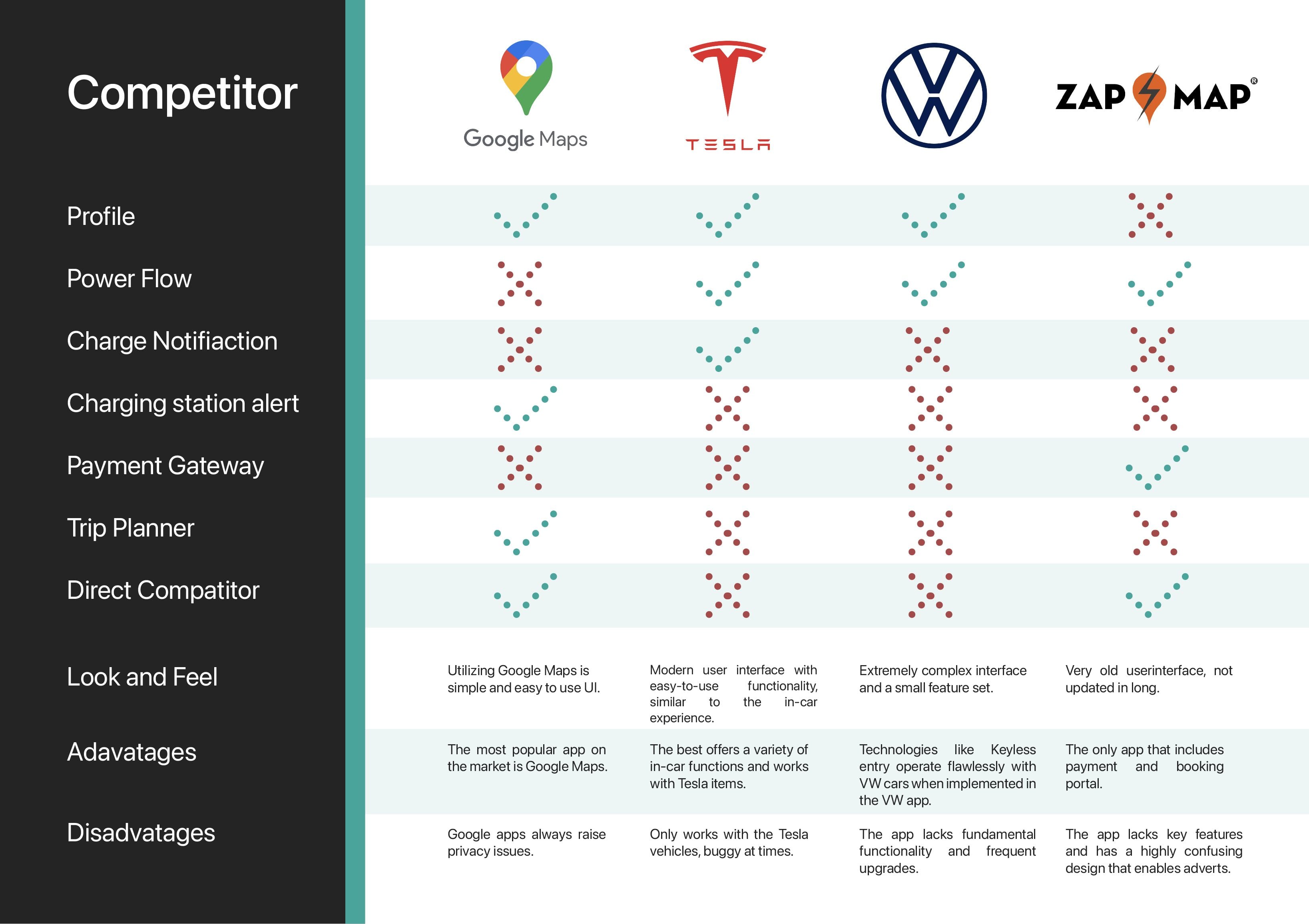
Interviewees switched between Google Maps, Zap-Map and Apple Maps to plan a single stop. My competitor review of Google Maps, Tesla, Volkswagen and Zap-Map showed why: none combined a trip planner, charging alerts and payment. Of the four, only Zap-Map took payment.
One idea on the How Might We board was to build on the map apps people already use. I rejected it because the failures happened at the hand-offs between apps. Silver Aero puts the route, nearby compatible stations, live availability and booking in one flow. The trade-off is a bigger app that would need real network data to be trustworthy, which a prototype can't show.
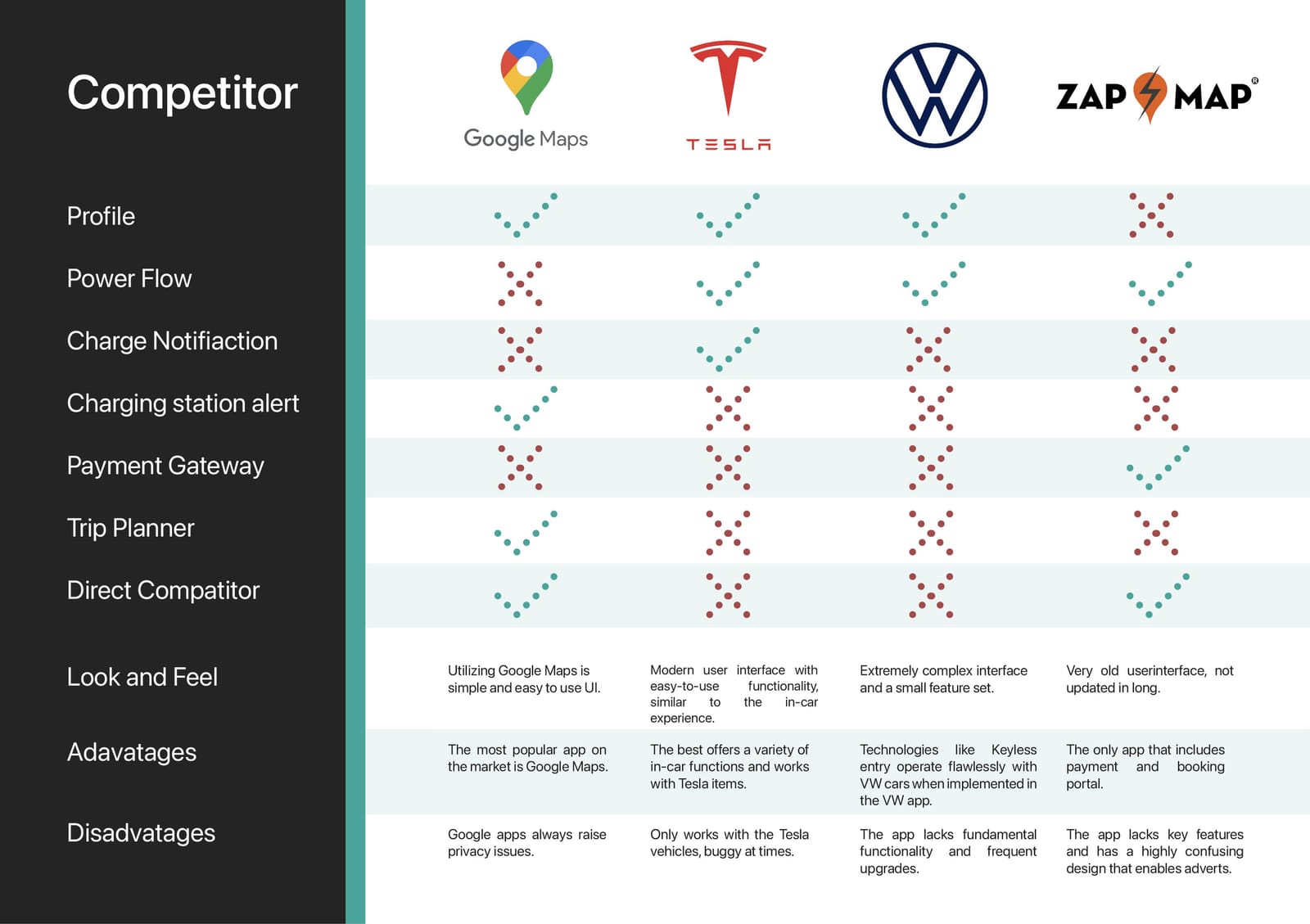
No existing app covered the whole stop. Only Zap-Map took payments, and it had no trip planner or charge alerts.
View full mapWhat the map shows
- Google Maps: charging station alerts and trip planning, but no payment.
- Tesla: charge notifications and power flow, but only for Tesla cars.
- Volkswagen: profile and power flow, but a complex interface with few features.
- Zap-Map: the only one with payment and booking, but a dated, confusing interface with adverts.
Decision 2
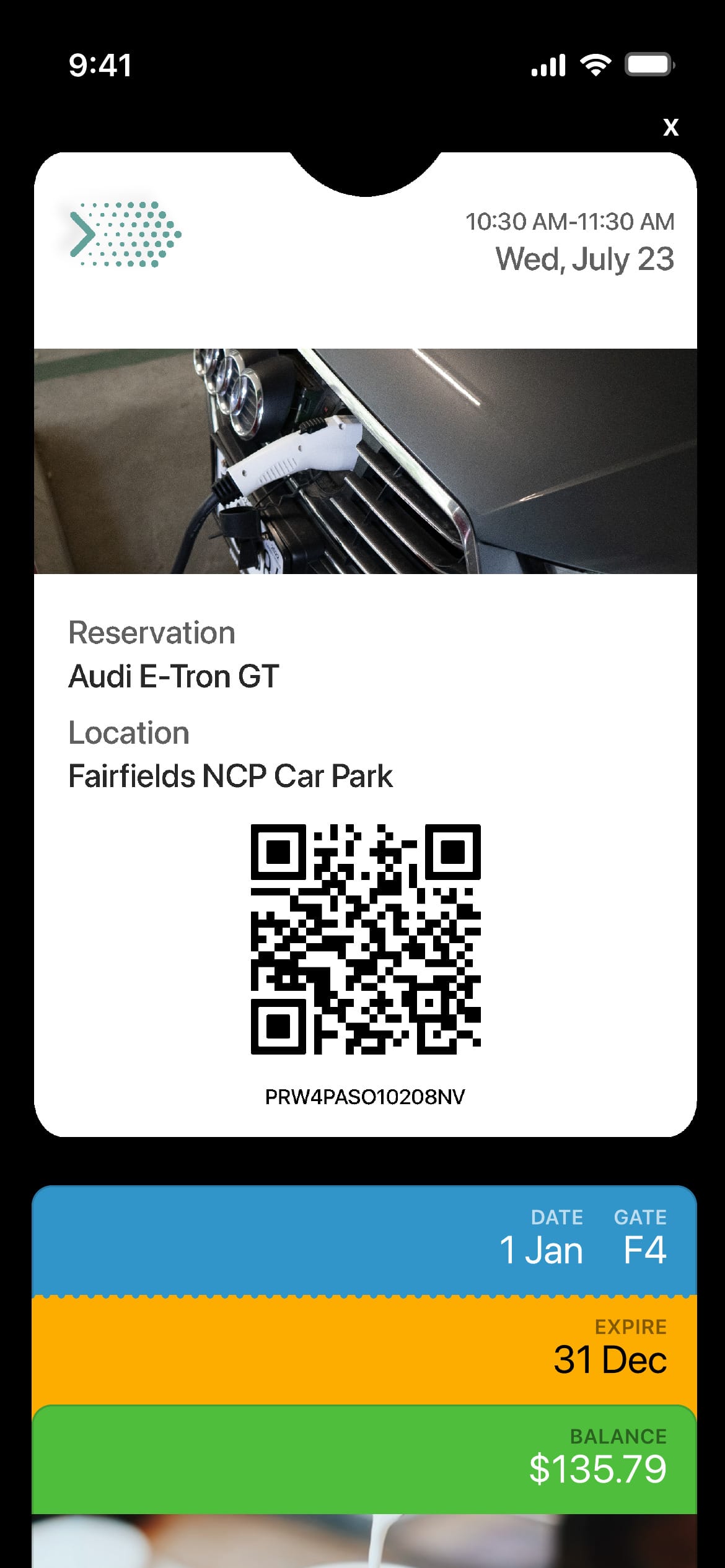
Pay with Apple Pay and keep the ticket in Wallet
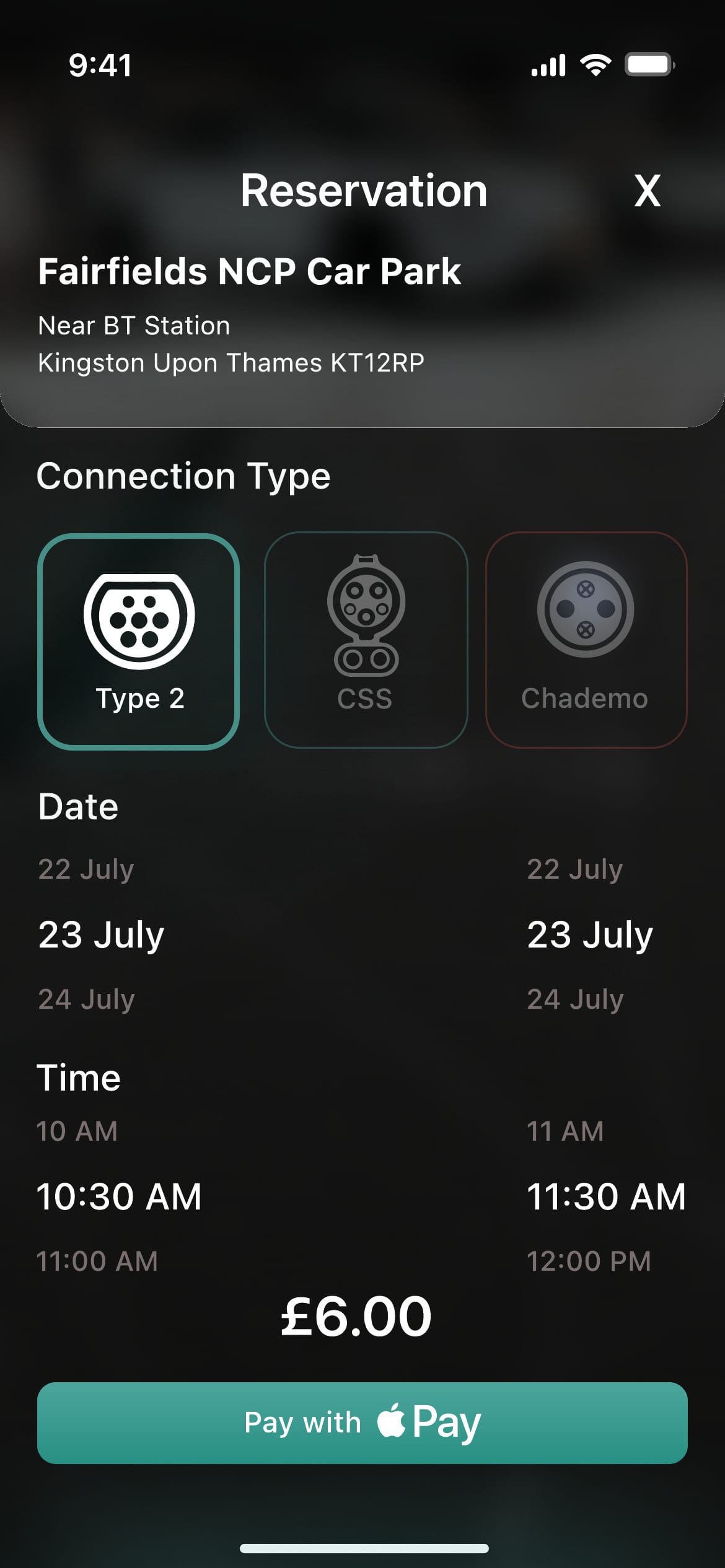
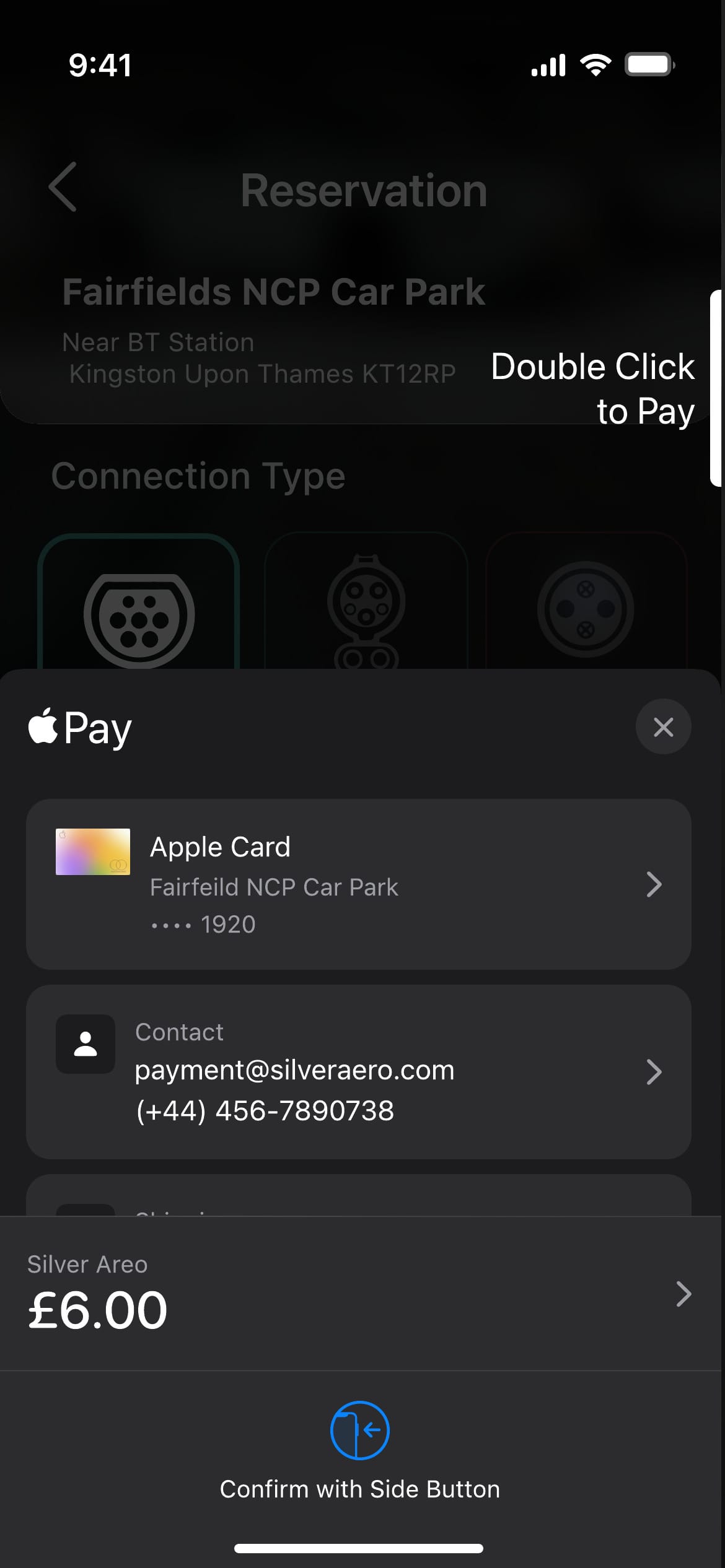
Payment came up again and again. Interviewees described failed payments in proprietary charging apps, and the journey map showed Brandon waiting to pay at the station. Instead of building another payment engine, I used Apple Pay, which drivers already trust, and let them book a connector and a time slot in advance.
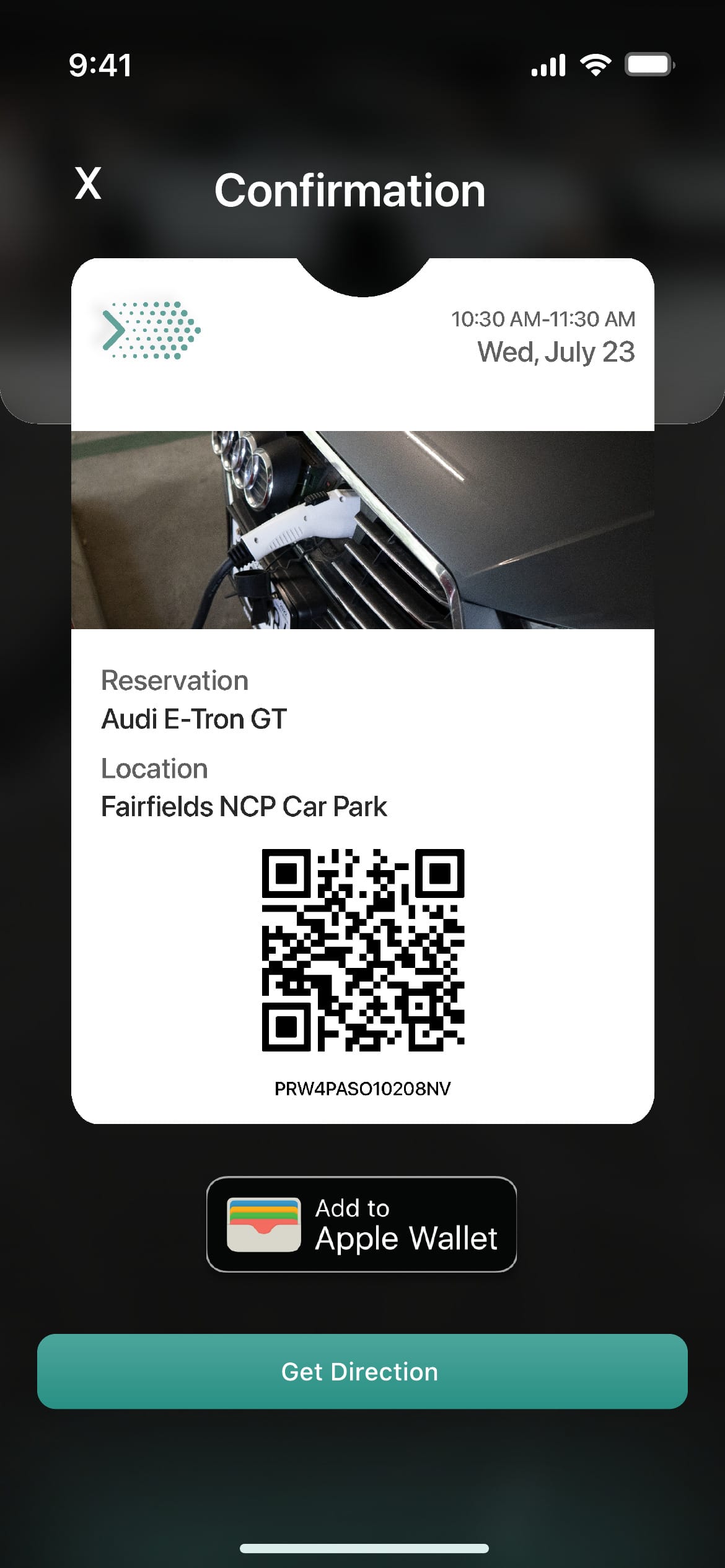
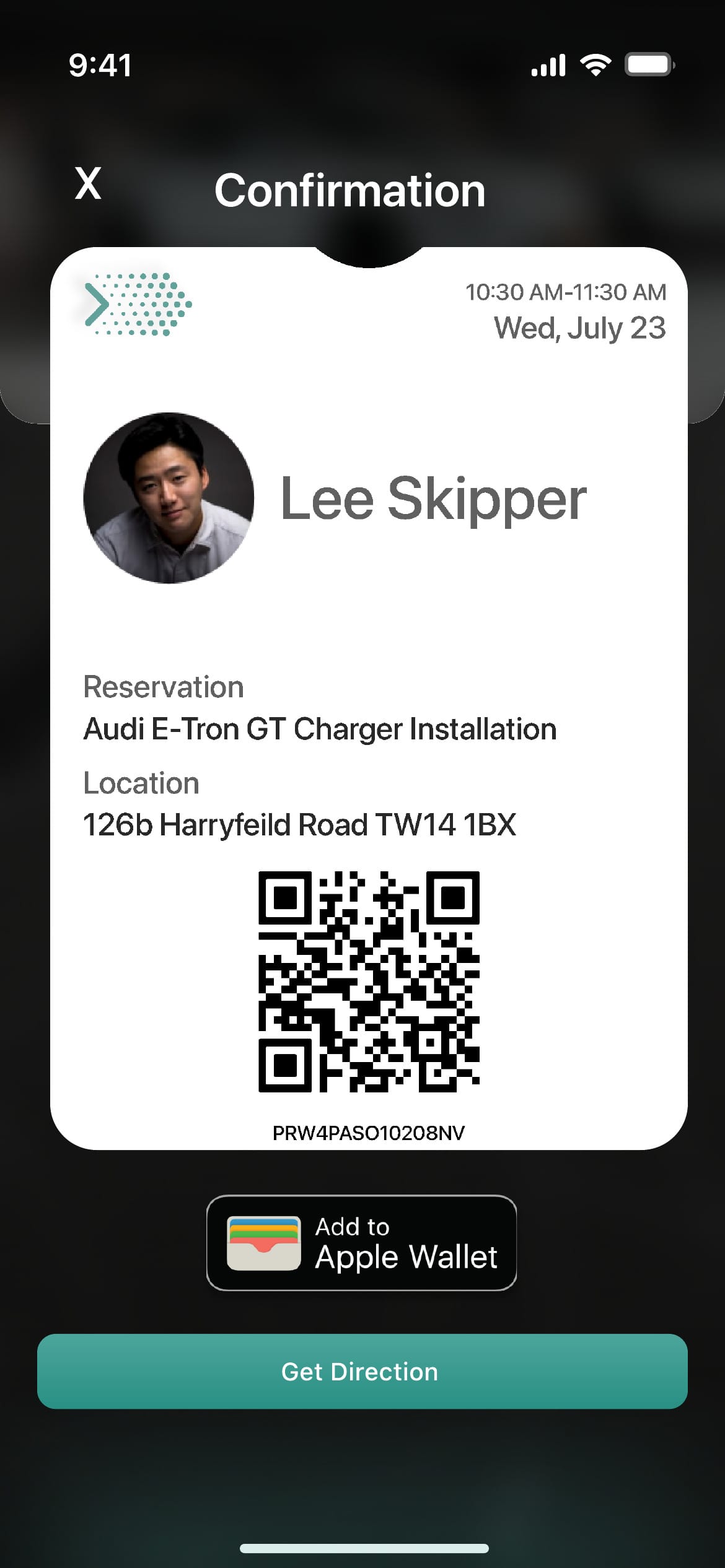
The confirmation becomes an Apple Wallet ticket with a QR code, so drivers don't have to reopen the app at the charger. The trade-off: this ties the concept to iOS. An Android version would need Google Pay and Google Wallet.
Decision 3
Set up the car once, so drivers only see chargers that fit
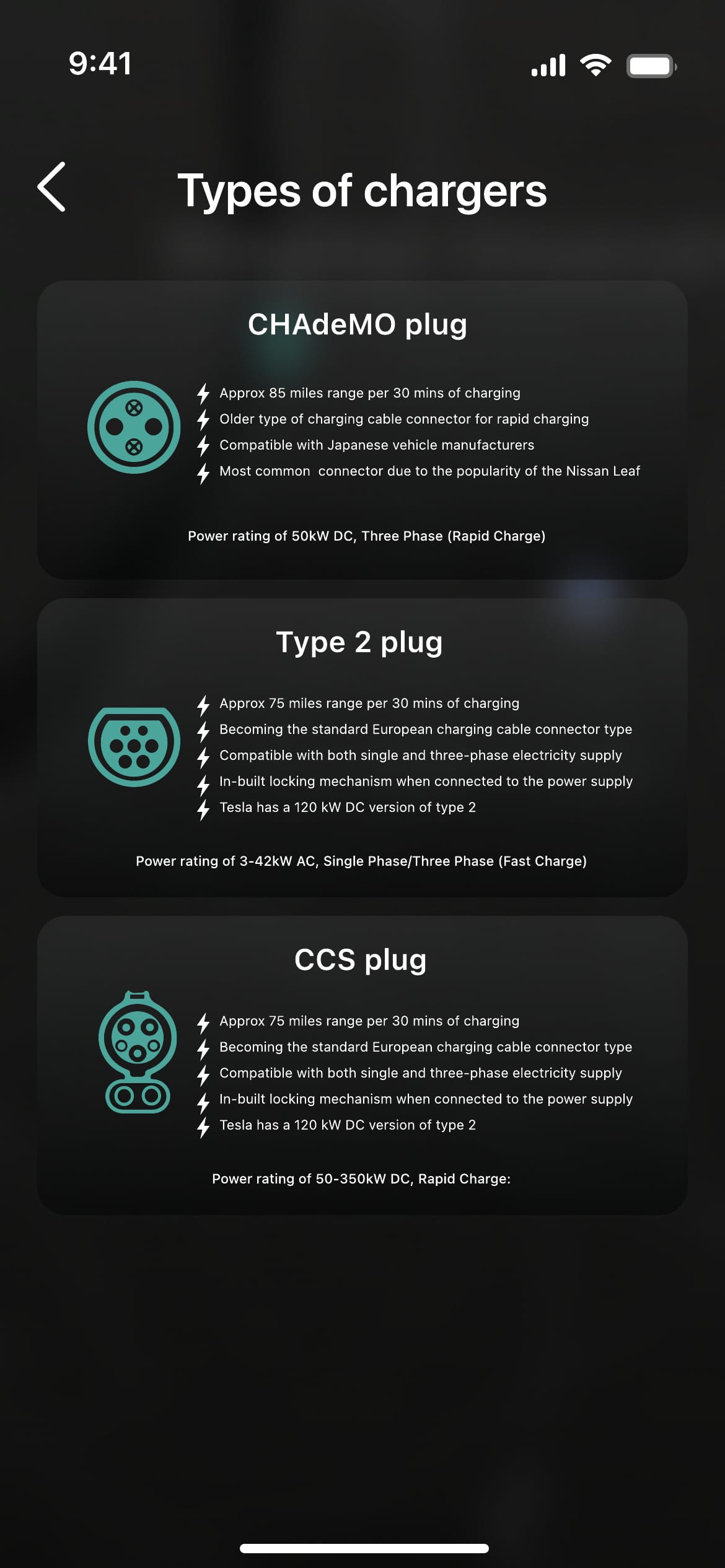
In my survey, only 22.9% of 83 respondents could say for sure whether a given charging station could charge a Tesla Model X, and 28.9% didn't know any of the charging standards I listed. One sticky note on the affinity map simply said 'We need unification of charging standards'. Renters were the most exposed.
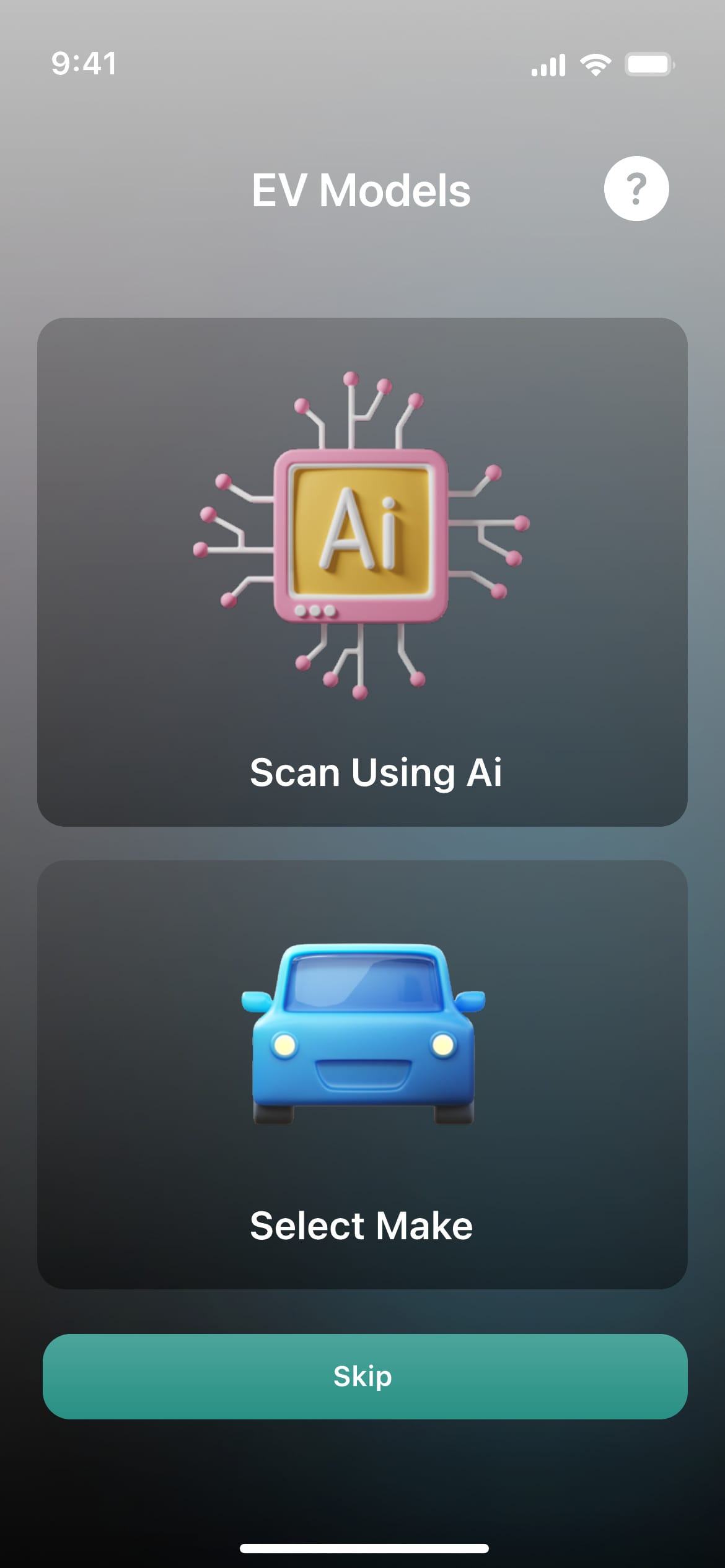
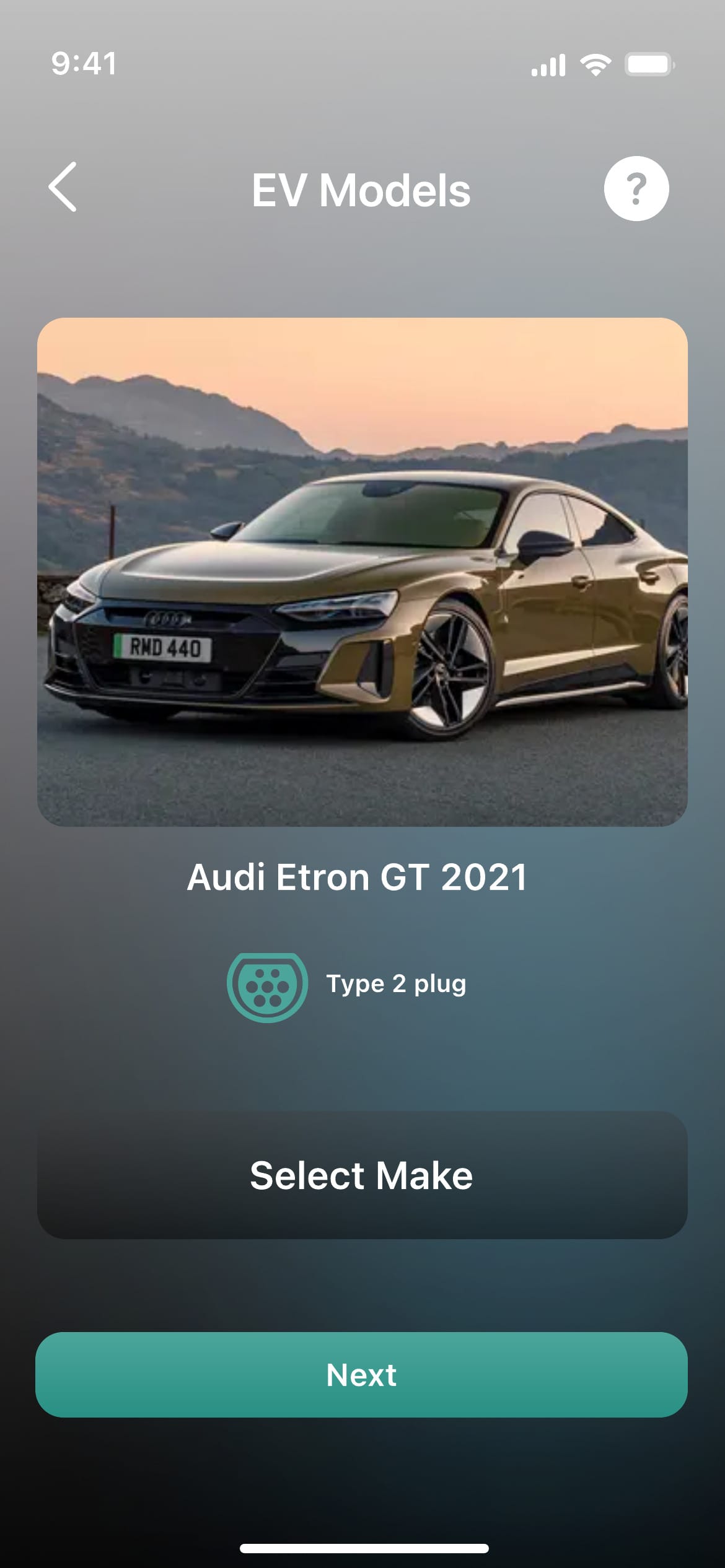
During onboarding the driver picks their car by make and model, or scans it. Silver Aero then filters stations by compatible connector and explains the three UK plug types in plain language. I chose a one-time setup over asking for the plug type on every search. It costs an extra onboarding step, and the 'scan using AI' option is speculative and would need technical validation.
Decision 4
Add a service for hiring a local electrician to fit a home charger
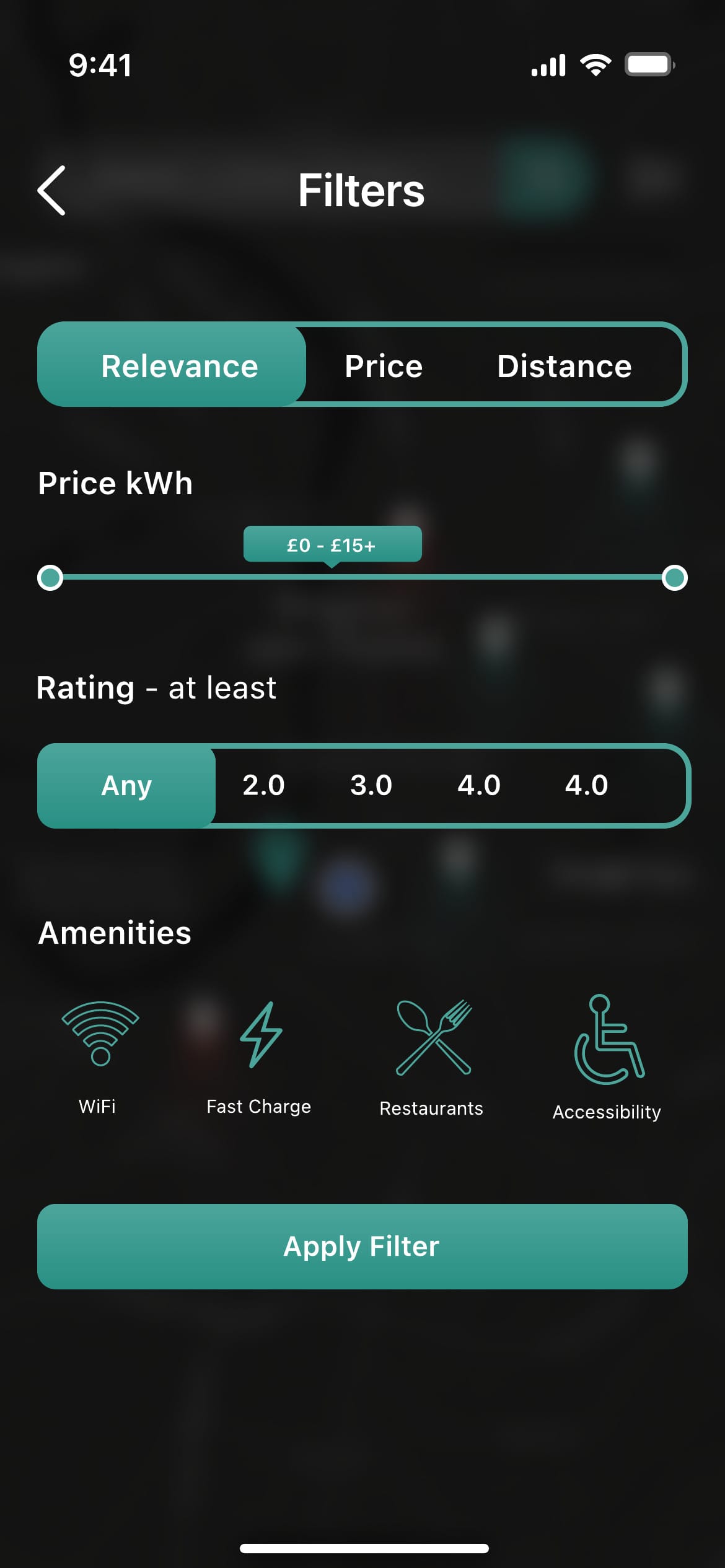
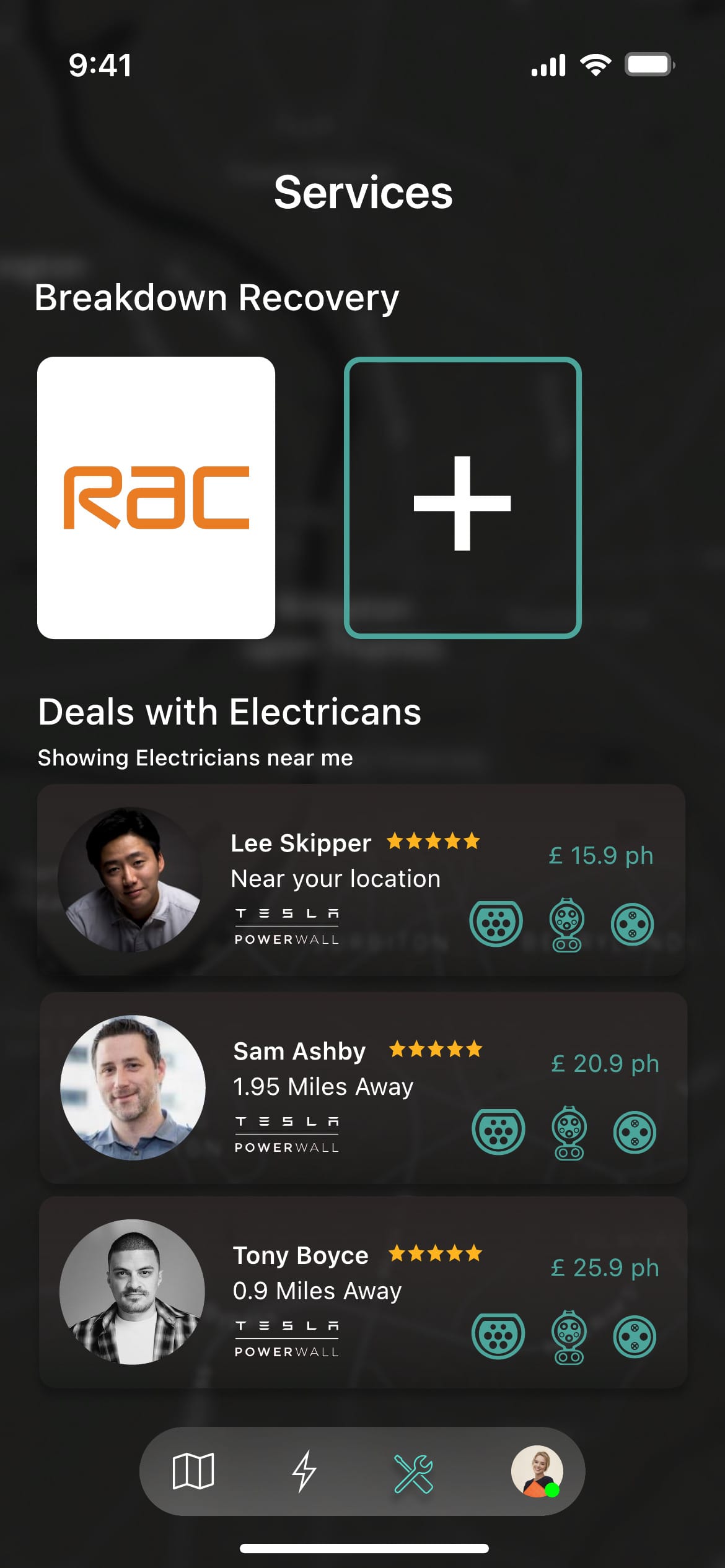
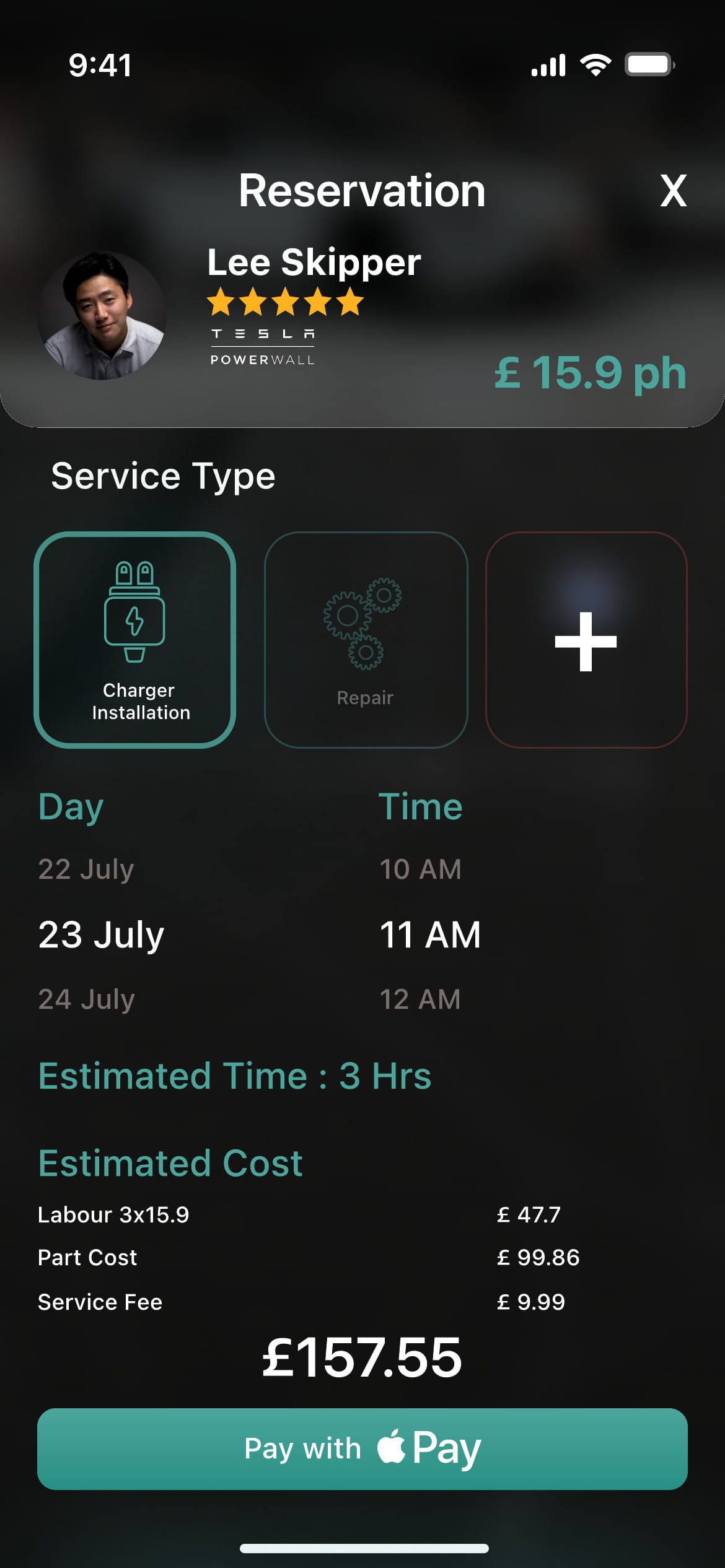
In my survey, 53% of 83 respondents preferred a standard AC charger at home to a public charging station (47%), and the EV dealer I interviewed often had to find electricians to fit chargers for his customers. Drivers who move house face the same problem. So I added a Services tab: browse nearby electricians with ratings and hourly rates, book an installation or repair, see an itemised estimate, and pay with Apple Pay. Breakdown recovery sits on the same tab.
This was the riskiest scope decision. A marketplace needs vetting, insurance and supply on both sides, and the prototype doesn't solve those. I kept it because it answered a need from my research that no competitor covered.
Solution
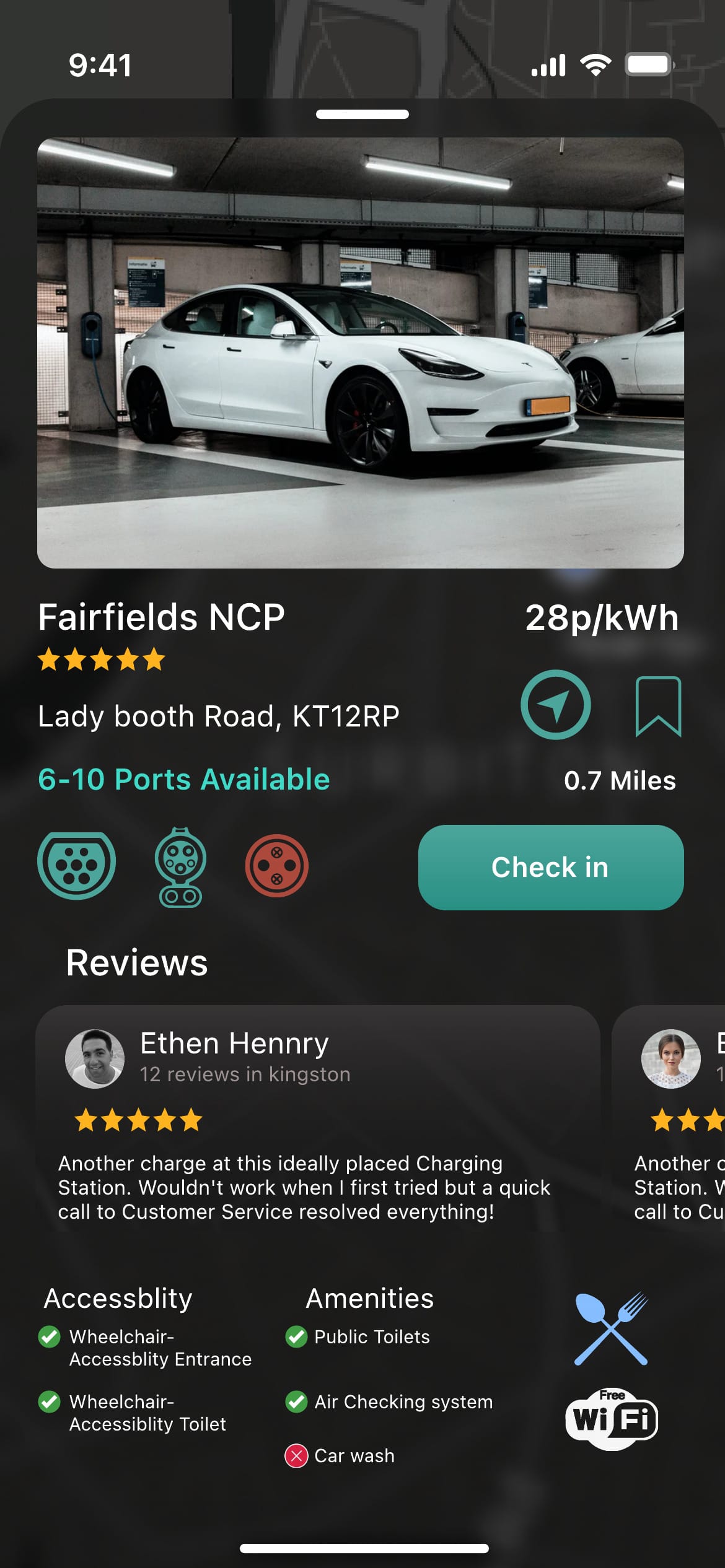
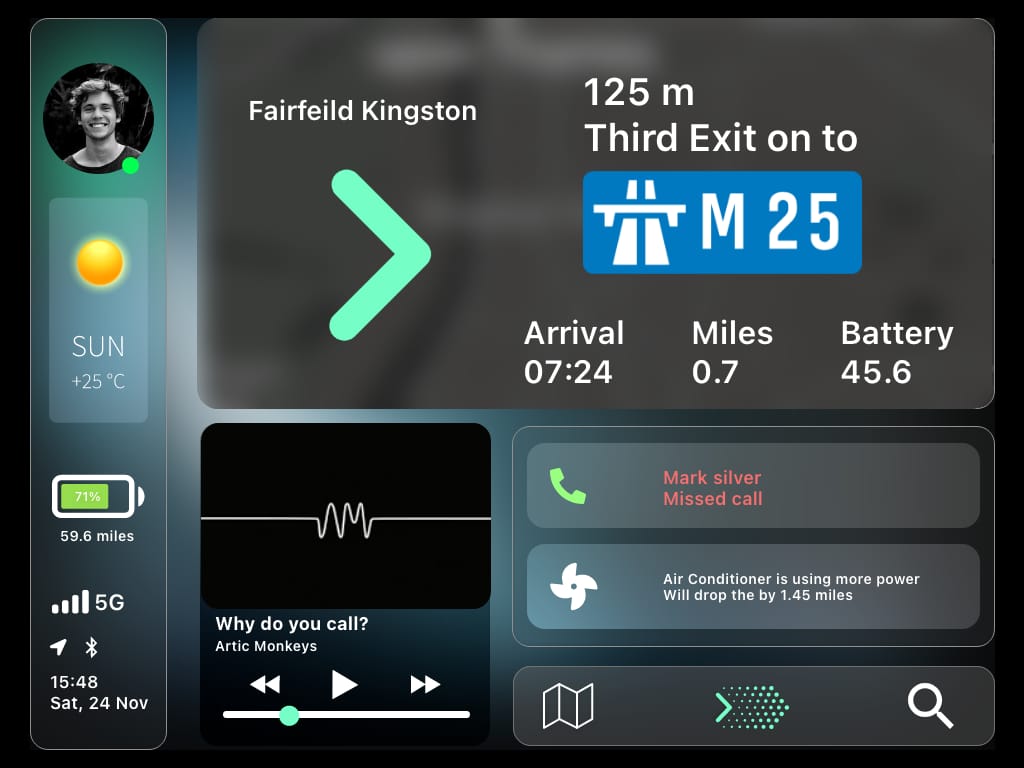
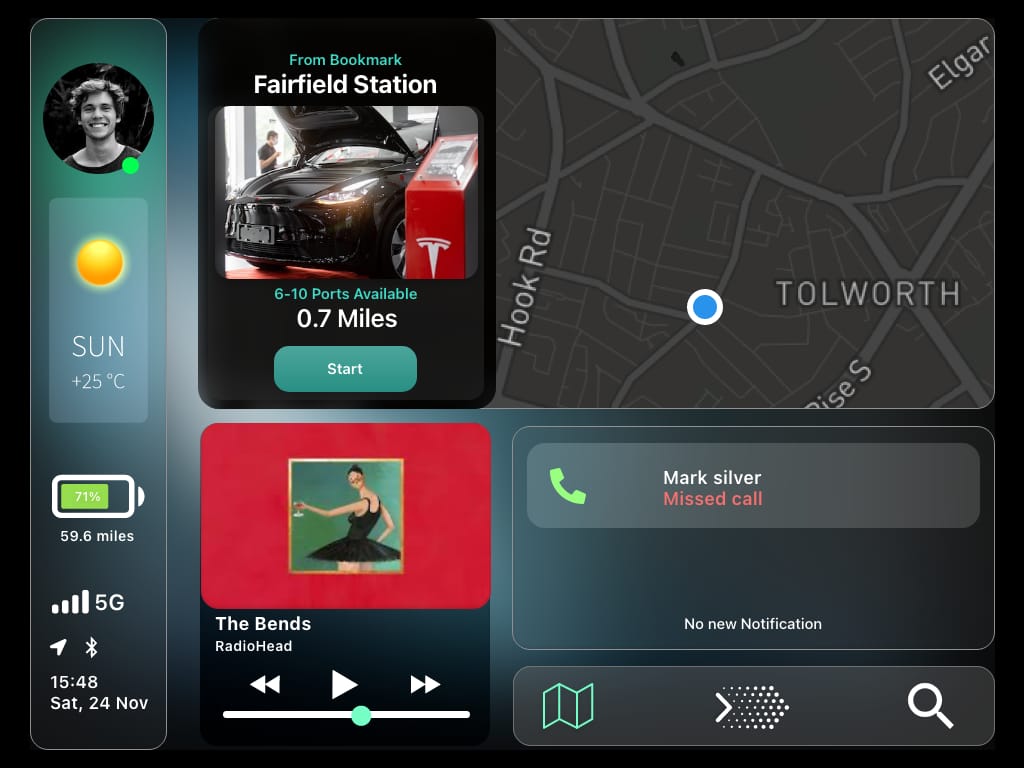
The finished prototype: plan, charge and pay without leaving the app, and continue in the car
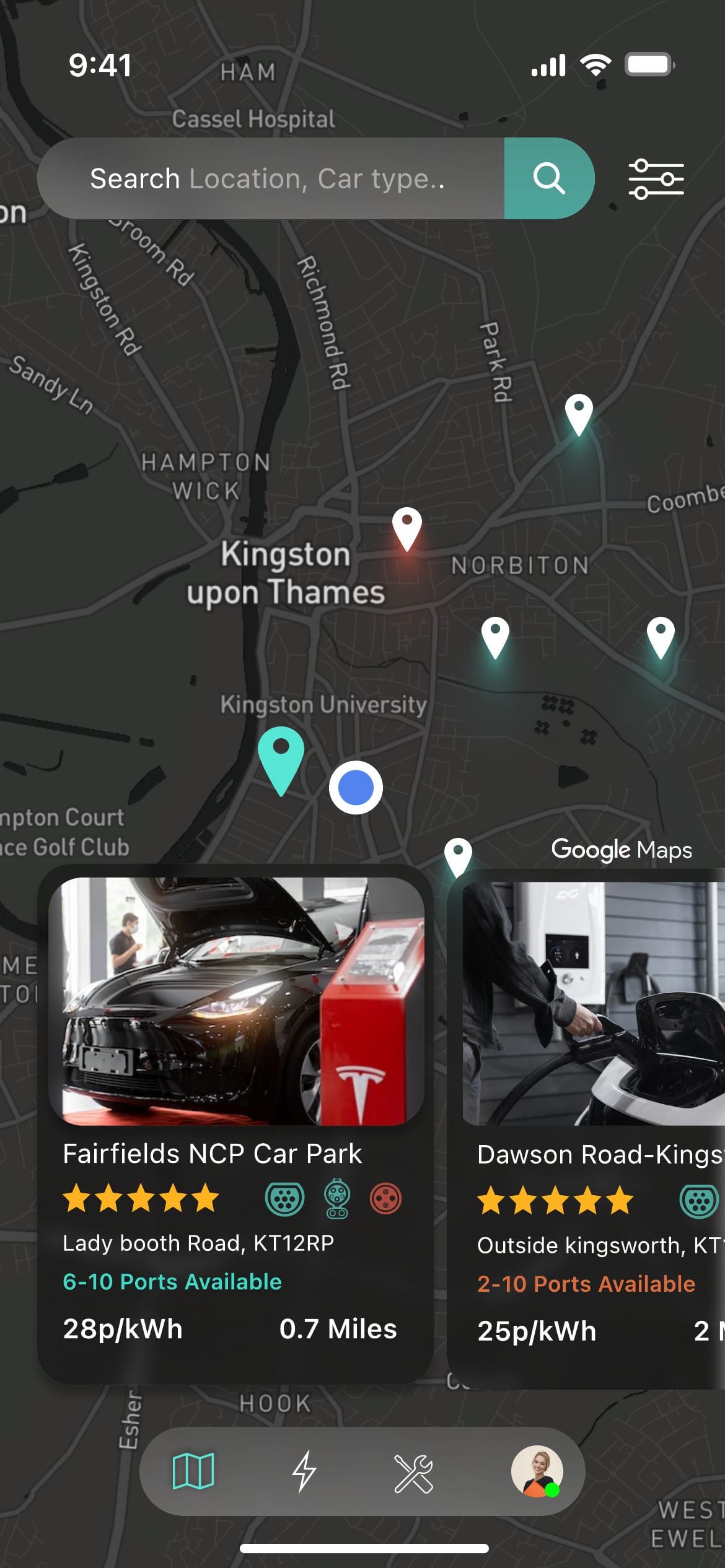
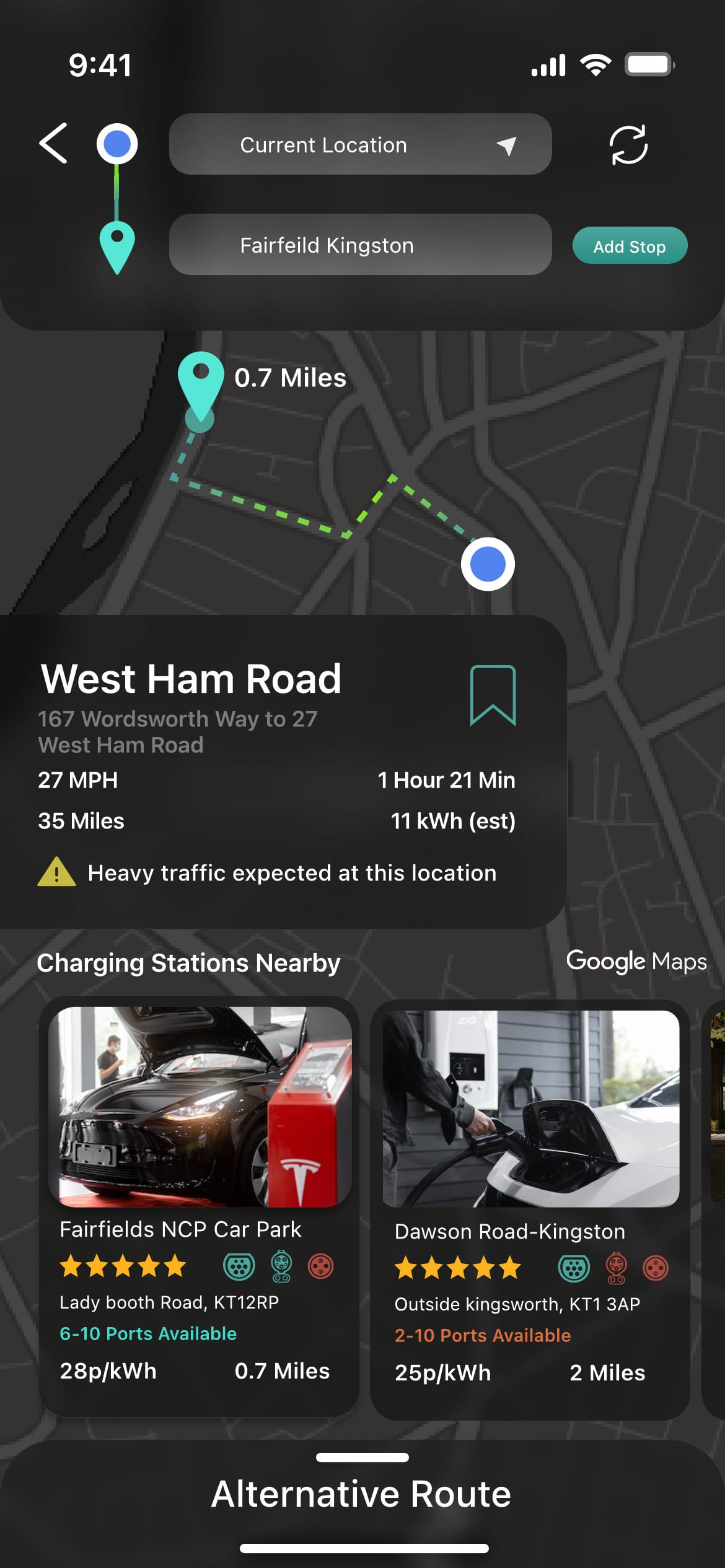
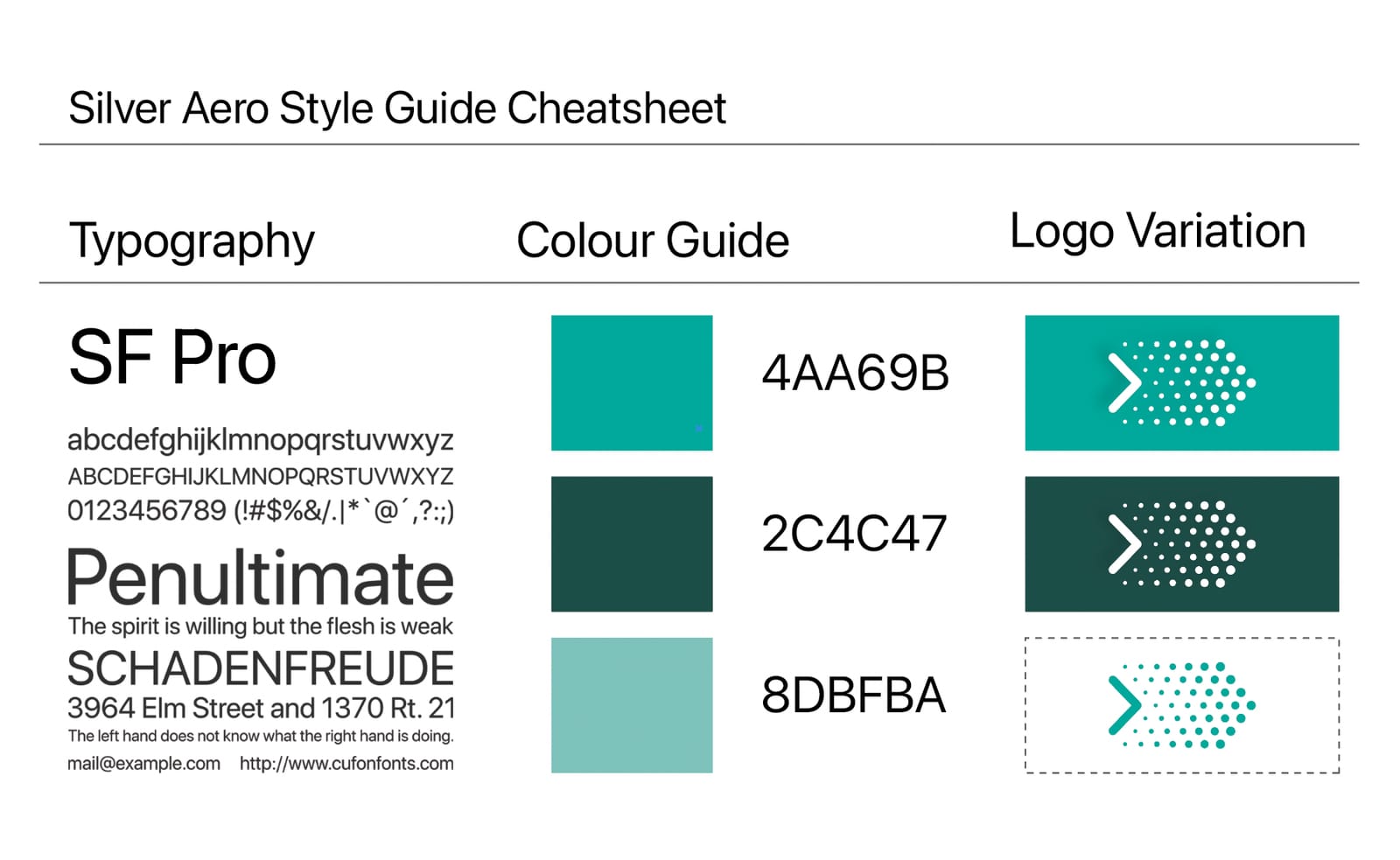
I built the phone prototype in Figma (60+ screens) and the in-car view in Adobe XD, following Apple's CarPlay patterns. The car screen shows turn-by-turn directions, the next charging stop and battery range, so the driver doesn't need the phone. The visual language is dark with teal accents and SF Pro, so it reads well at night and in a dashboard. Brands in the screens (Tesla, Audi, Apple, RAC, Google Maps) are only illustrative. The project has no affiliation with them.
Validation
Moderated tests: every task completed, with fixes needed to sizing and type
I tested the hi-fi prototype in moderated Zoom sessions of about 20 minutes, after participants signed consent forms. My project report records six participants, each working through seven scenario tasks, and every task completed in the time allowed.
Asked about the look and feel, 80% said they were satisfied and 20% said they would prefer a light mode. These are the figures as recorded in my project report: 80% and 20% of six people aren't whole numbers, so I can't now say exactly how many people each figure covers. The main issues were component sizes, typography and touch targets, which I listed for the next iteration. This was a small prototype test, so it is directional, not statistical. It also couldn't test the hardest part: whether real availability data would be accurate enough to trust.
- participants (as recorded in my report)
- 6
- scenario tasks per session
- 7
- per moderated Zoom session
- ~20 min
| Result | |
|---|---|
| Tasks completed in the time allowed | All 7 |
| Satisfied with the look and feel | 80% |
| Would prefer a light mode | 20% |
| Issues raised | Component sizes, typography, touch targets |
Every task was completed. The fixes were about sizing and type, not the flow.
As recorded in my project report (section 6.4.7). It reports six participants, and 80% and 20% of six are not whole numbers, so treat the split as approximate. I didn't record time on task or a SUS score.
Reflection
What I'd do differently
I'd narrow the scope earlier. The electrician service and breakdown recovery weakened the core charging flow, and they deserved their own study. I'd also record time on task and a System Usability Scale score for every participant, and retest after fixing sizing and type.
A real version would need live data from charging networks, legal and payment partnerships, and an Android version. I'd also design for when things go wrong: what happens when a booked charger is out of order when you arrive.
Research data
Full research data
Everything behind the story above (2022). Small samples, so read it as directional.
Survey: 83 EV owners and renters2 charts
Interviews: four drivers in three countries4 participants, 5 findings, 1 table
Interview participants
n = 4
P1
- 22
- Male
- Owner
- UK
- Full-time employee
P2
- 29
- Male
- Renter
- Canada
- International student
P3
- 20
- Male
- Owner
- India
P4
- 42
- Male
- Owner
- UK
- Runs a car sales and rental business
I recruited from the survey and picked people in different countries, because charging infrastructure differs so much between them.
From Table 1 and section 6.1.2 of my project report. Three interviews were online and one was in person.
More from the interviews
Waiting at the charger turns a stop into a long delay.
One of the pit stops I made, I was waiting for over an hour because the guy hadn't finished charging his car. Then I also had to wait for my car to finish charging.
P1, EV owner, UK It turned out to be an 18-hour road trip just because of the charging issue that I had. That's plus six hours on your road trip.
P3, EV owner, India The real range is well below the advertised range.
It says the range is about 140 miles, but I've been getting only close to 100 miles.
P1, EV owner, UK On paper and in real life, that range varies a lot. So I had to stop like four times.
P3, EV owner, India Map apps are trusted for directions, not for charger status.
Whenever I find a charging station, it's like a 50-50 chance of it working or not.
P3, EV owner, India The experience with both of these can be very spotty. Sometimes it's very accurate, but other times it's not.
P1, EV owner, UK Drivers asked for live status, compatibility and a way to reserve.
If you can make an app where they tell us [if it's] working, how many charging stations are available there, and probably if it's crowded or not, that would be helpful.
P3, EV owner, India If I could reserve it, so that when I go there I don't have to find it occupied, that's the feature that I really want.
P2, EV renter, Canada The feature that really shows you that you are going to make it to that station, even with the traffic situation.
P4, EV owner and car dealer, UK Drivers love driving electric. Charging is the cumbersome part.
I definitely enjoy the experience of an EV. It's just that I find the charging and the navigation aspect of it a little cumbersome.
P1, EV owner, UK
Quotes are lightly cleaned from Otter.ai transcripts and anonymised; words in square brackets are mine. Recordings and full transcripts are not published.
| App | Rating out of 10 | |
|---|---|---|
| P1 | Zap-Map | 5 to 6 |
| P1 | Google Maps | About 7 |
| P2 | Apple Maps | 5 |
| P3 | Google Maps | 6 |
| P4 | Google Maps | No score; called it his go-to app |
No one rated their current app above 7: good for directions, unreliable for chargers.
Spoken answers to 'On a scale of one to ten, how would you rate it?', taken from the interview transcripts.
Synthesis and prioritisation1 table
| Features | |
|---|---|
| Primary | Book a nearby charging station; hire local help (electricians); detect the car automatically with AI; smart location management; in-car (IoT) integration |
| Secondary | Apple Pay; live traffic updates; alternative routes; SOS service; custom profile; auto analytics |
| Tertiary | Smart ticket stack; light and dark mode; climate tracking; expense calculator; community forum; FAQ |
Booking and the electrician service sat at the centre. A light mode was only tertiary.
Transcribed from UX works 2/Bullseye Diagram/Bullseye Diagram.png (Figure 19 in my project report). The report describes a NUF test (new, useful, feasible) after rapid idea generation, but no scores survive in my files, so none are shown.
Want to talk about this project? Get in touch